“Post 250 words and reply to two classmates” can now be three chatbot requests and a copy-paste. Even the “Great point, Sarah” is available on demand.
No assignment is completely AI-proof. But some give you much more to assess than a polished answer. Here’s our tier list of AI-resistant assignments, from hoping a detector sorts it out to applying an idea under changed conditions.
These are editorial rankings of how much reasoning an activity brings into view, not cheating-prevention scores. A supervised quiz can restrict AI access more than an open discussion while asking for less explanation. The questions, tool rules, and follow-up determine where your version belongs.
Table of Contents
D: The chatbot did the homework
These leave the main problem intact: the final artifact tells you little about who did the reasoning.
Rely on an AI detector. A score cannot show whether a student understands their argument. False positives can also turn a writing assignment into a dispute about authorship; that was among the concerns Vanderbilt cited when disabling its detector. Don't use a score as proof of misconduct.
Generic take-home essay. “Compare these two theories in 800 words” can be handed to a chatbot as written. Requiring 1,200 words mostly asks for a longer answer. Add a decision, a meaningful checkpoint, or a follow-up worth discussing.
Post once, reply twice. A student can generate the initial post, paste in two classmates’ posts, and generate plausible replies without engaging with the ideas. If nobody has to return, the conversation can end exactly where it started. Use the A-tier challenge-and-return loop to give replies a job.
C: The basics
Sometimes the starting point is simply getting everyone into the room.
In-class writing. A short supervised task, with clear tool rules, gives you a sample of independent work. A generic summary still reveals less about judgment than a choice the student has to defend.
Closed-book quiz. Useful for checking recall. Move it up the list by asking students to explain a step, interpret an unfamiliar example, or respond to a changed condition. Paper alone does not supply those questions.
Keep version history. Google Docs’ built-in version history lets you review earlier versions and changes. Agree on a checkpoint worth looking at. Collecting a history that nobody opens adds little.
The catch: these are starting formats, not bad teaching. A carefully designed classroom task can belong in SS. A generic recorded presentation can remain here: the camera is not a force field.
B: Give the answer some context
A useful rule: the easier it is to package the whole task into one chatbot request, the easier it is to outsource. An LLM needs context. When the assignment prompt includes everything needed to answer, the student can hand it over as-is. A shared class experience adds friction: someone has to supply what happened and explain why it matters.
Use a class moment. “Revisit the disagreement about consent in Tuesday’s case discussion. Which claim does this week’s reading complicate?” In an unrecorded discussion, the relevant context may live in the student's memory or personal notes. Asking them to reconstruct the moment, choose the relevant detail, and connect it to the reading makes their own experience part of the answer. That gives you another dimension of authenticity to discuss.
If the class is recorded or transcribed, students can supply that context to the bot too, so the friction is lower. This is a reason to ask for meaningful connections, not to withhold recordings or accessible materials. Provide an equivalent example for students who missed the discussion.
Interpret local evidence. Use your lab’s measurements, a shared observation, or an annotated passage. Ask students to identify the particular result or sentence that supports their conclusion. Local data still needs an interesting question; swapping a city name into a generic essay prompt does little.
Replay the writing process. A tracker can help you choose a revision to discuss. For example, Brisk Inspect Writing replays document changes, including additions, deletions, and paste actions. Ask: “You removed this paragraph. What made it stop working?” Tell students what is recorded and how you will use it.
The catch: class materials can be supplied to AI. A paste might come from a student's own notes, and gradual typing can reproduce someone else’s answer. The record can start a conversation about the work; typing patterns are not a grade.
A: Show the work changing
Useful when you want more reasoning without adding a spoken component.
Defend a rejected option. In a case memo, require a short note: “What other recommendation did you consider, and which evidence ruled it out?” Grade the tradeoff, not how convincingly the student announces that they thought hard.
Peer challenge + author return. Replace “reply to two peers” with one complete exchange. The author posts a claim and an uncertainty. A peer tests the claim with a counterexample or a passage. The author returns to revise or defend it. “I agree!” has finally been given the afternoon off. See asynchronous peer feedback for setup.
Checkpoint + revision. During a project, collect one small snapshot of a decision or failed approach. After feedback, ask students to show what changed and explain why. One useful checkpoint beats twelve drafts you have no time to read.
The catch: explanations and draft histories can be manufactured too. Reviewing a real change while work is underway gives you a better question to ask; it does not certify authorship.
S: Talk me through it
A good follow-up asks about something the finished submission leaves unexplained.
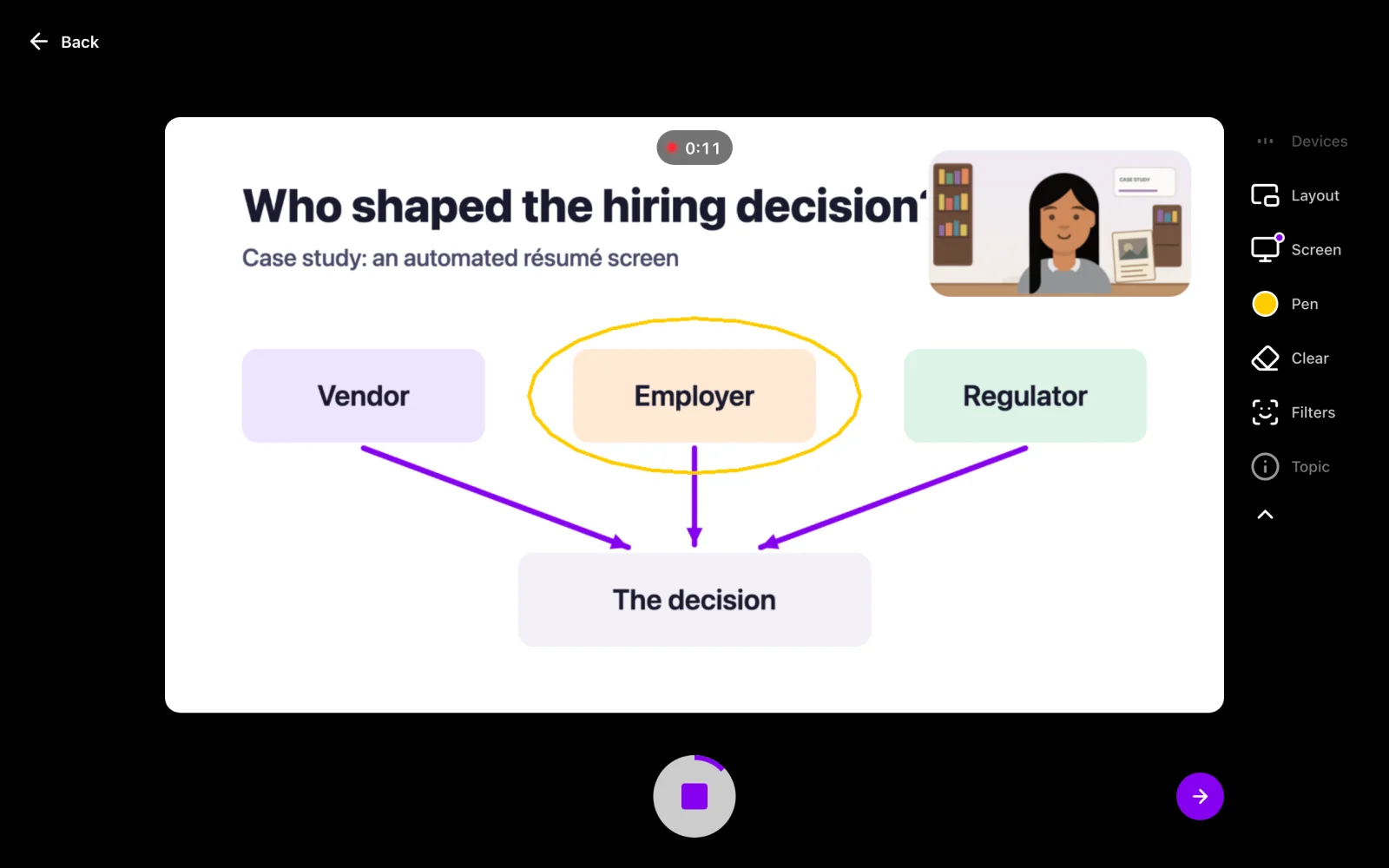
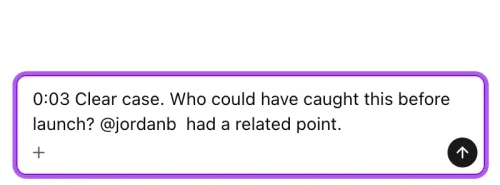
Defend one decision. Ask students to record 60–90 seconds on one choice, one rejected alternative, and the evidence behind the decision. In Vivipod, leave a timestamped question where you want clarification, and grade the answer as a video reaction, so the student responds out loud. “You chose interviews at 0:35. What would a survey have missed?” See the oral-defense prompt and rubric.
Teacher-created bot + oral debrief. Build and test a bot around a course problem, instructing it to ask for reasons and challenge assumptions. Students work through the chat knowing that you will review it. For example, MagicSchool’s student rooms let teachers set up guided AI activities and review student conversations.
Then ask students to summarize their learning in a short Vivipod recording: “What did you initially think? Which exchange changed or strengthened your view? What can you now explain?” Choose a moment from their chat for your oral follow-up. You see their expressed reasoning in the conversation, then hear what they can explain afterward. Add a fresh case for the SS version.
Demonstrate, then take questions. A student walks through a lab technique, design, or worked example. A peer asks about a specific step; the student returns to justify or revise it. Run this live, or in Vivipod with a recording, a comment for the question, and a video reaction for the answer. Give the question and the response a place in the participation grade.
The catch: reading an AI-written script into a webcam is still reading a script. The exchange earns this tier. Neither a confident voice nor an AI-generated “mastery” score proves understanding. The asynchronous oral assessment guide covers formats, grading, and access in more detail.
SS: Change the conditions
The student has explained an answer. Now find out whether the idea travels.
Change a constraint. After a project recommendation, ask: “The budget just halved. What would you keep, cut, and why?” In Vivipod, students can record their original reasoning, receive the changed condition in a timestamped comment, and post a second explanation in a follow-up Topic. Compare the decisions across the two responses.
Transfer to a new case. A student explains sampling bias in a campus survey. Give them a hospital survey with a different recruitment method. Ask which parts of the original explanation still apply. This also works after practice with a teacher-created bot: the new case checks what students can carry beyond the chat.
Diagnose, fix, explain. Supply a broken calculation, contradictory source, or failing test. Students locate the problem and explain the repair. A Vivipod screen recording lets them point to the exact step and talk through the change; an instructor can question a particular moment afterward.
The catch: a fresh problem can still be outsourced. These earn their place by asking for transfer and adaptation. When you need evidence of independent performance, use an observed live follow-up with appropriate tool restrictions. An asynchronous Vivipod response supports review and discussion; it does not provide that supervision.
Pick one assignment to move up
Choose a task where you currently see only the finished answer. Add one opportunity to hear a decision, inspect a revision, or ask what happens next. Every Tuesday does not need to be a boss fight.
State which AI uses are allowed. Provide practice and accessible alternatives for spoken work; grade reasoning rather than accent, eye contact, or production quality. Keep the extra work small enough to review.
For a first Vivipod activity, create one Topic for a decision defense, enable comments, and ask one follow-up. The 90-second oral-defense guide has the instructions. For the wider course culture, read The Best Response to AI Is a More Human Course. If you’re choosing a medium or platform, use the discussion-board alternatives comparison.